
Characters
Maintain one canonical identity across close-ups, wide shots, costume changes and emotional states. Character assets separate stable identity from scene-specific expression, pose and wardrobe.

Turn your novel into a structured AI video project, from source text to final cut.
For macOS & Windows. Local-first.
Move from source text to an editable script, scene breakdown, reusable story assets, shot list and final sequence without losing track of the original story.
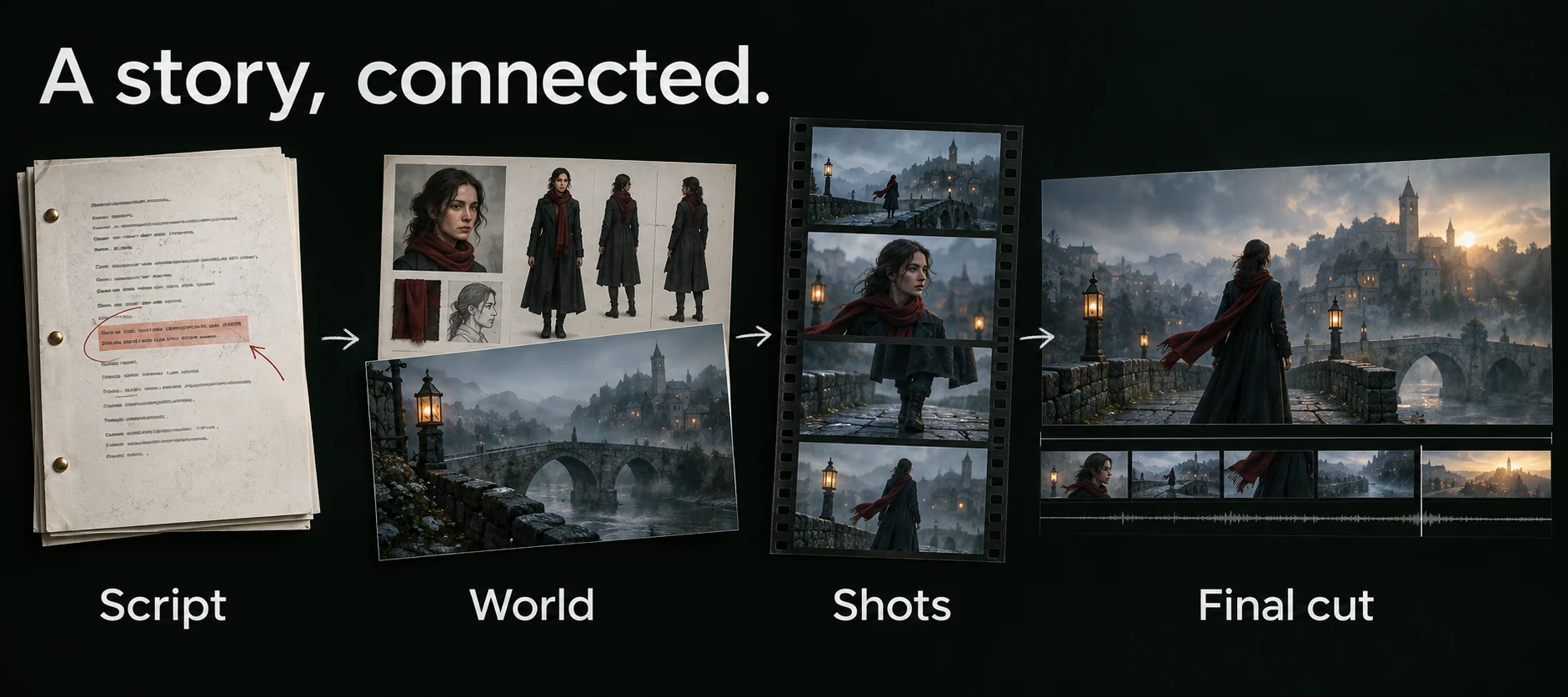
Script → World → Shots → Final cut. Adapt the source, reuse references, direct each shot and assemble accepted takes.
AI-generated workflow illustration. Select the image for a closer look.ElserStudio is a local-first AI film studio for creators who need more than a single generated clip. Paste a passage or import a TXT, Markdown or PDF file, identify the characters, locations and props that matter, plan representative shots, generate candidate takes and assemble the accepted clips on a local timeline.
A novel-to-video generator is a production workflow that converts prose into visual decisions. It should do more than summarize a chapter or create an isolated video. A usable workflow must determine what happens on screen, which details belong in dialogue or action, where scenes begin and end, which characters and locations recur, and how those decisions become a shot list.
ElserStudio treats the adaptation as structured production work. The source text informs an editable script; the script points to canonical characters, locations and props; each planned shot can then use those references during image or video generation. This structure makes later revisions easier because a creator can change one scene, asset or shot without rebuilding the entire project.
Follow the complete workflowFrom the first line of prose to the last frame of your edit.
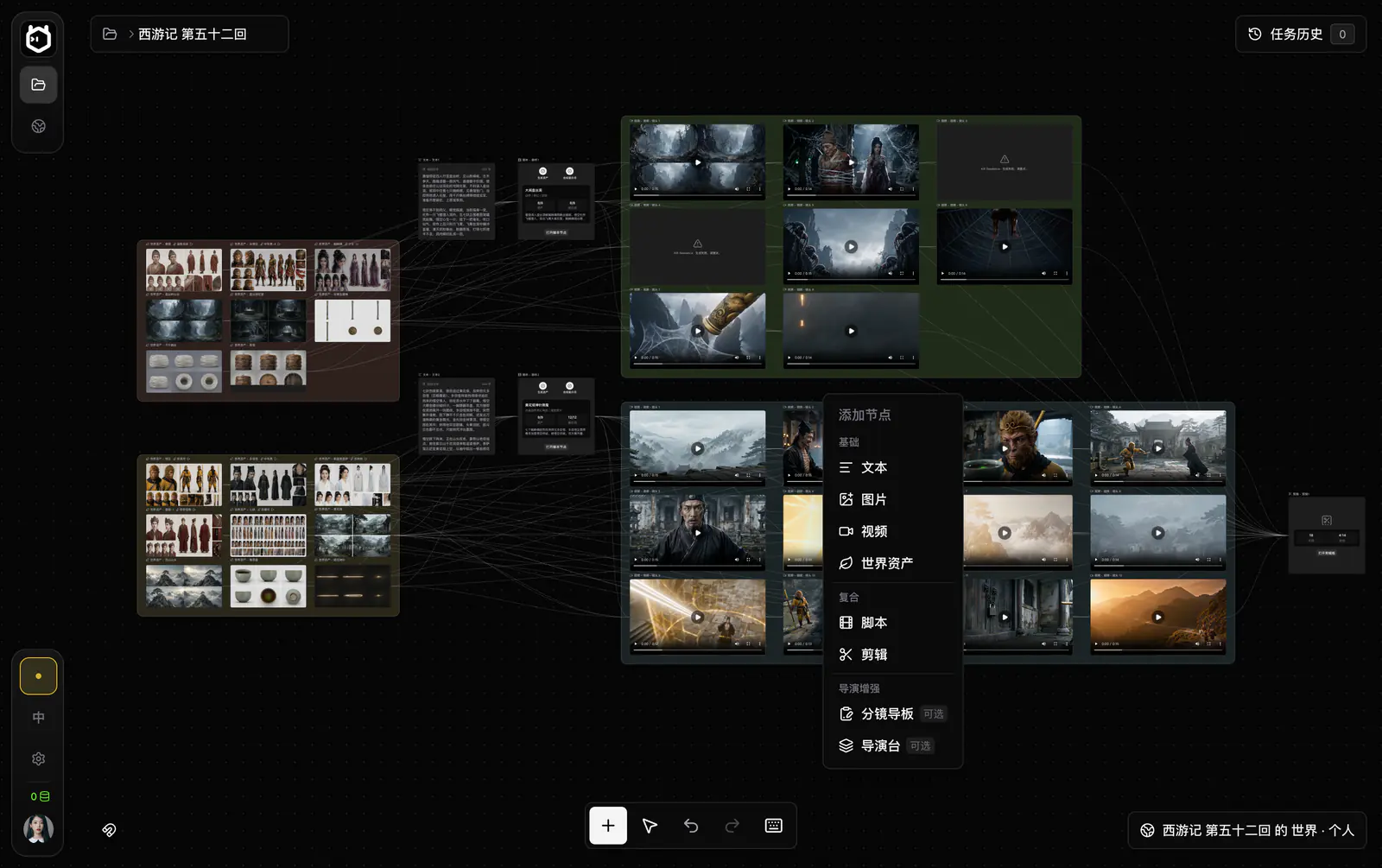
Individual video takes for dialogue, action, atmosphere, transitions and establishing shots.
Select an output to see where it lives. This is an interface preview; generation happens in the desktop app.
Take two or three representative shots through the full workflow before scaling to an entire chapter or sequence.
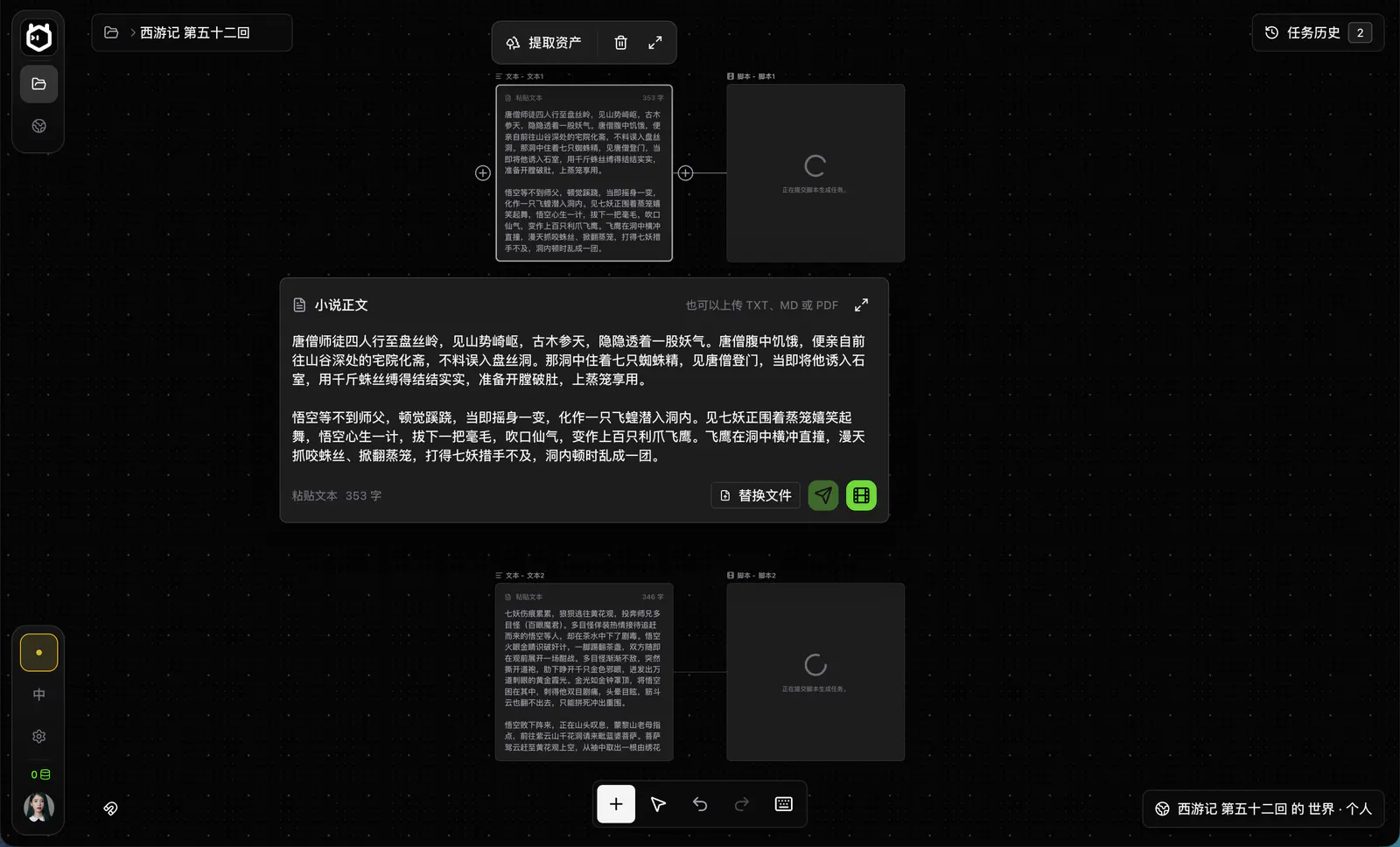
Paste the text or import a supported document. Choose one complete scene and turn it into an editable script. Preserve the central conflict, essential character motivation and the details the audience must understand. Remove prose that cannot be communicated visually unless it becomes narration, dialogue or action.
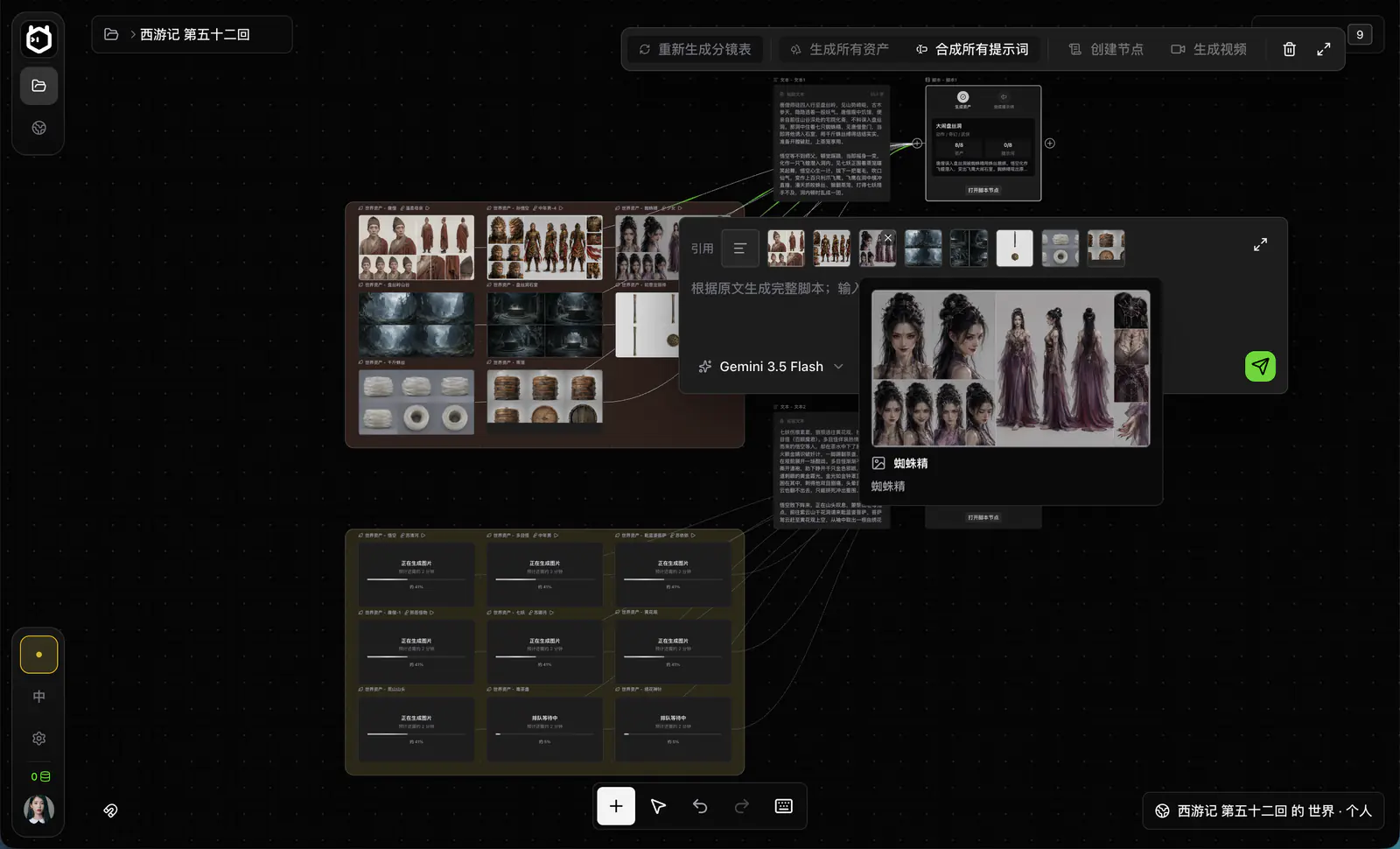
Create canonical character, location and prop assets. Break each scene into shots with a clear dramatic purpose. Specify framing, camera movement, performance, lighting, duration and the references required for continuity. Start with two or three representative shots before committing to an entire chapter.

Generate candidate takes using your configured provider. Review identity, action, dialogue, motion and continuity instead of accepting a clip because one frame looks attractive. Connect accepted takes to the composition timeline, refine the cut and export locally.
Characters, scenes, comics and animation, connected by the same references.
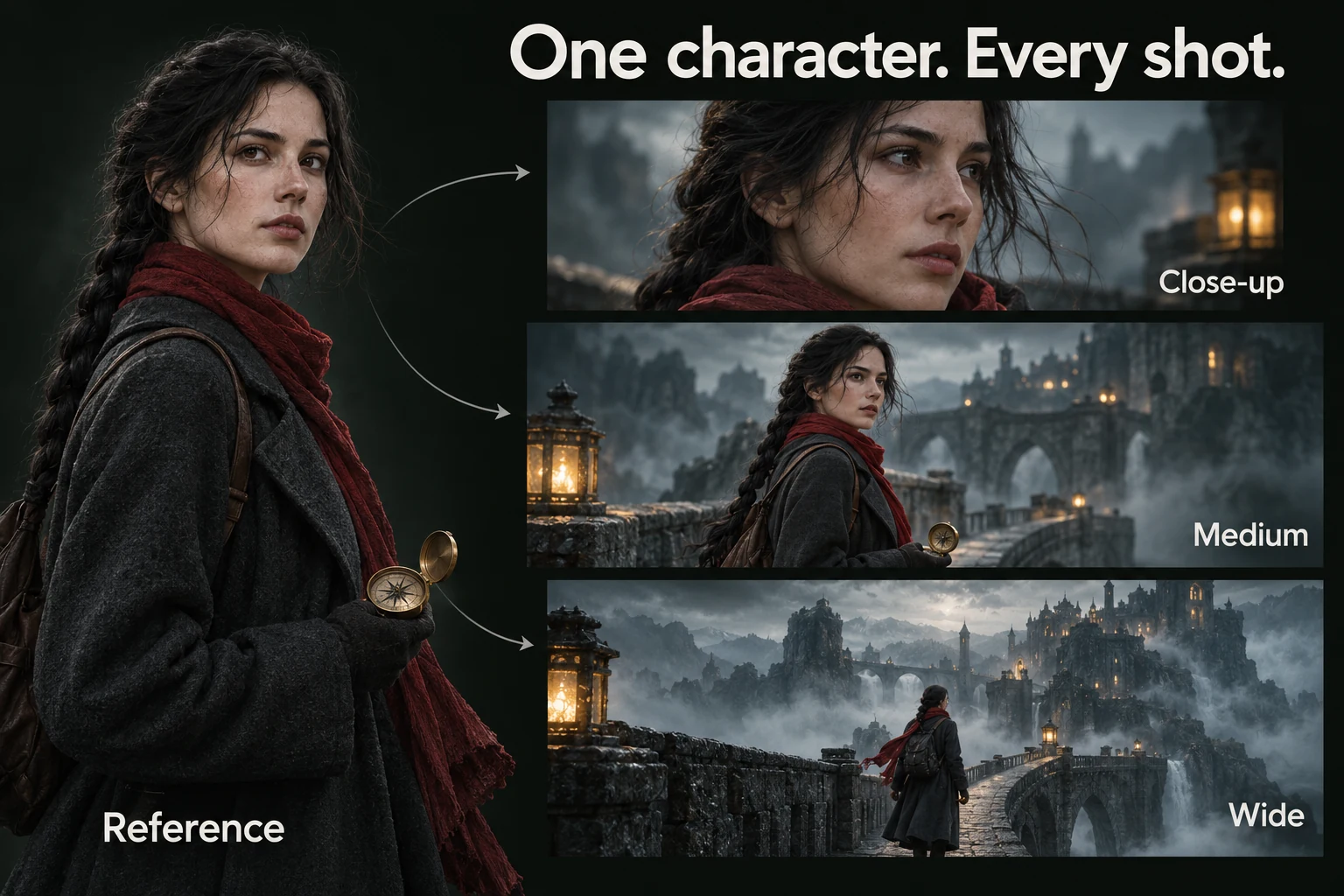
One identity, several framings. Reuse a canonical character reference for close-up, medium and wide shots, then review every take for drift.
AI-generated workflow illustration. Select the image for a closer look.Maintain one canonical identity across close-ups, wide shots, costume changes and emotional states. Character assets separate stable identity from scene-specific expression, pose and wardrobe.
Reuse location and prop references so recurring spaces retain recognizable geography, color and production design. A scene breakdown keeps time, cast and continuity requirements visible.
Turn script beats into storyboard panels or comic-style frames before spending on video generation. This is useful for validating composition, coverage and narrative clarity. Storyboard images are optional, not a prerequisite for video generation.
Use the approved boards and World assets as references for animated shots. ElserStudio organizes the production chain; final visual quality, duration and model capabilities depend on the image or video provider you select.
ElserStudio supports the complete production path, but a strong adaptation still requires editorial decisions. Begin with one scene, review the script and assets, generate a few representative shots, then expand after the workflow and visual direction are stable.
Story import supports TXT, docx Markdown and PDF files, and text can also be pasted directly.
Yes, when the configured image and video models support the intended style. Establish the visual rules in the character sheets, location boards and storyboard references before generating motion.
ElserStudio helps by reusing canonical character references and continuity notes. Consistency still needs shot review because camera angle, lighting, expression and provider behavior can introduce drift.
You can download the current test build. Local BYOK does not require an ElserStudio account or platform credits, but image and video generation may be charged by the provider you configure. Check the download page and the provider's current pricing before submitting generation tasks.
ElserStudio is local-first: project records, the canvas, assets and editing stay on your computer. Content sent for AI generation is processed according to the configured provider's data policy, so review that policy before using confidential or unpublished material.
Download ElserStudio, import a short passage and take three representative shots through script, assets, generation, review and final cut before scaling to a full chapter.
Download ElserStudio Explore the filmmaking workflow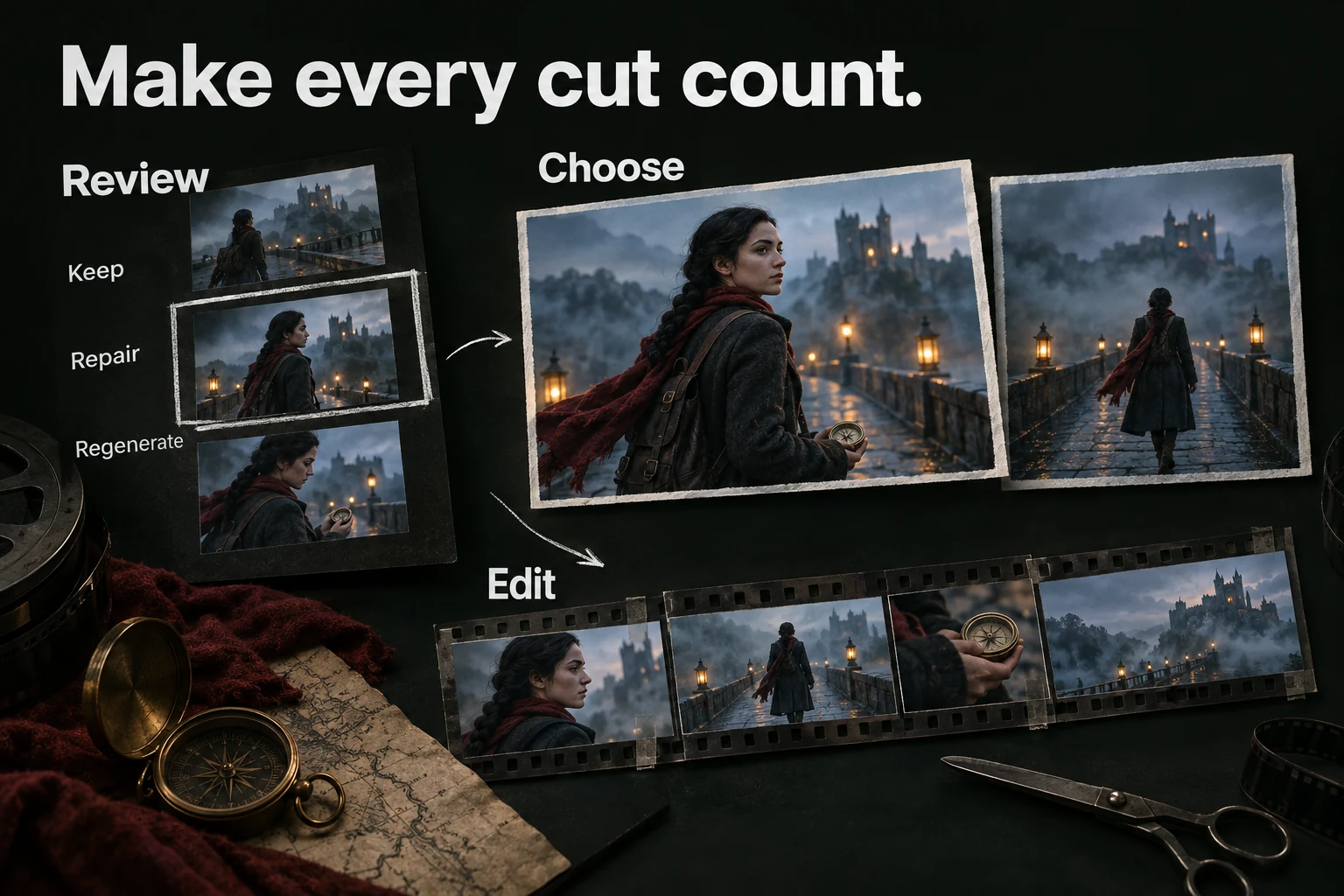
Keep. Repair. Regenerate. Review the story action, identity and continuity before selecting clips for the local timeline.
AI-generated workflow illustration. Select the image for a closer look.