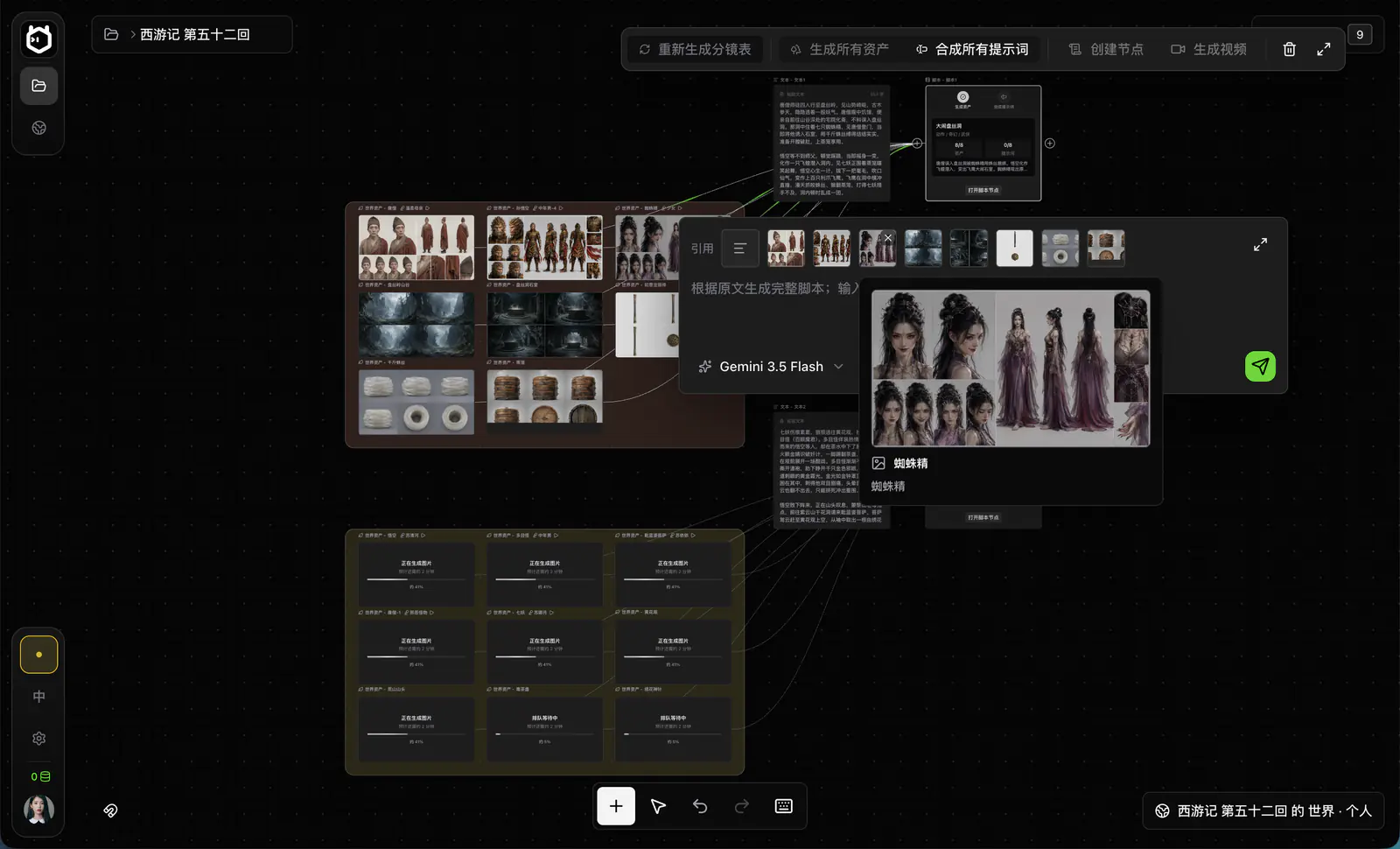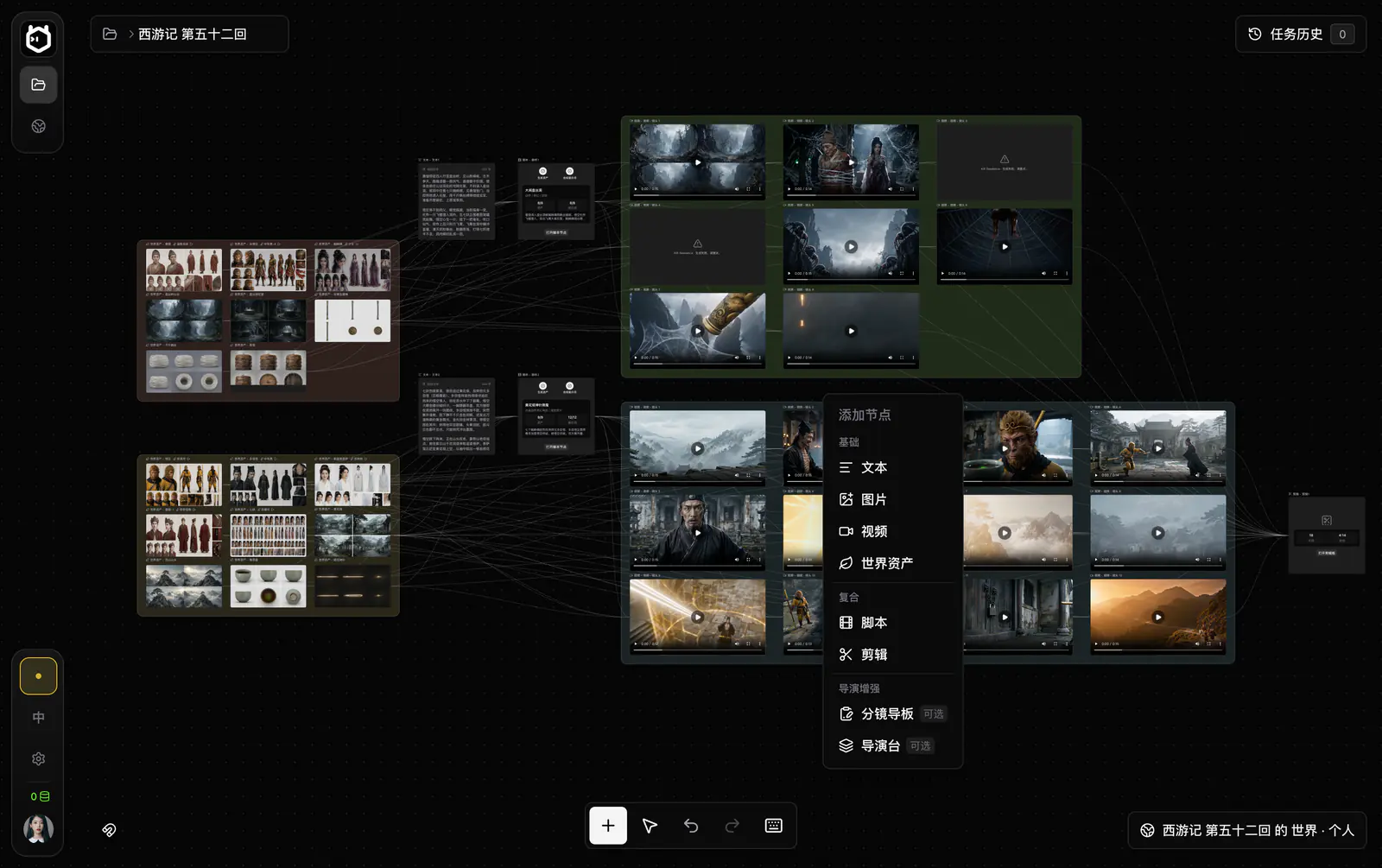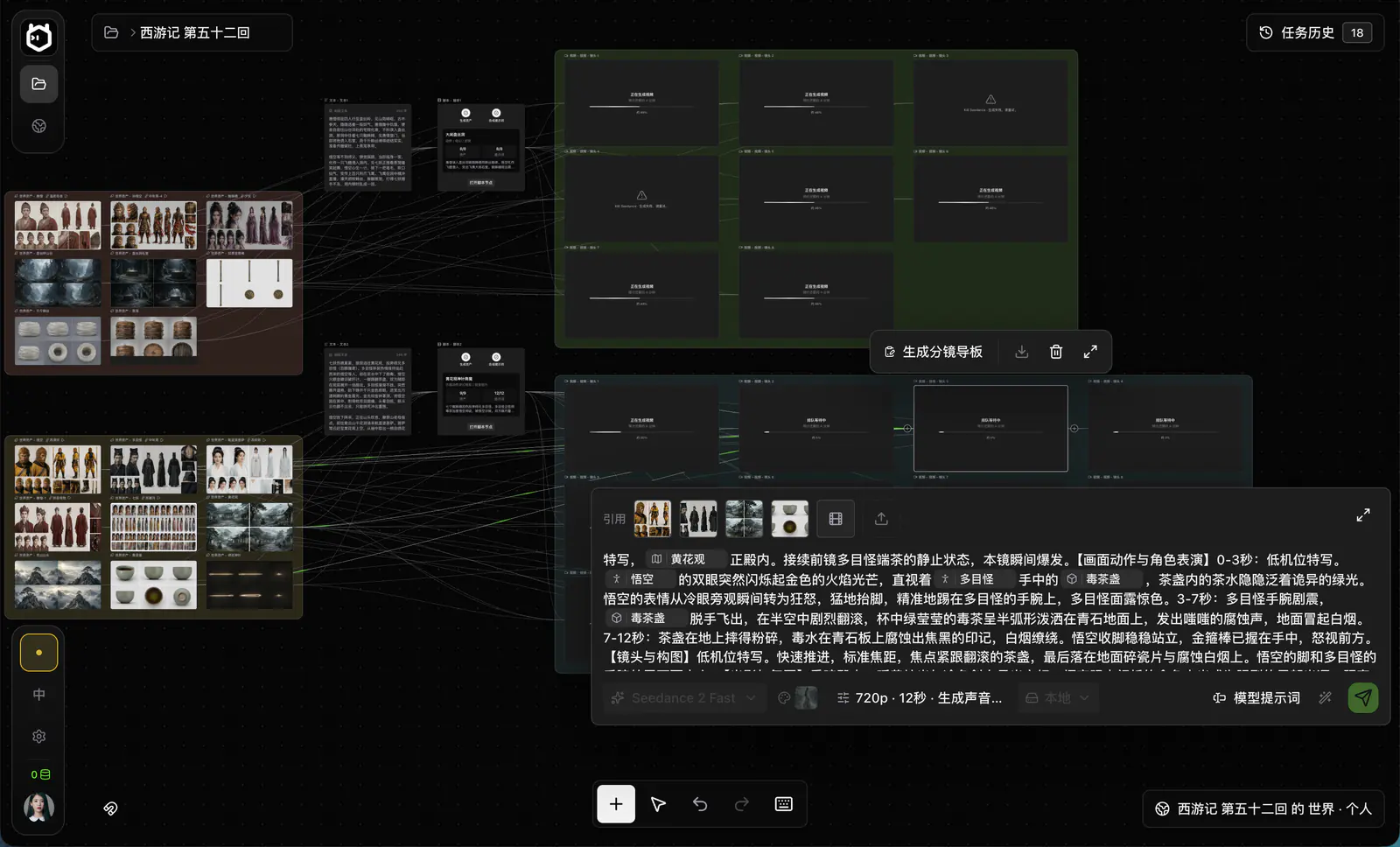
Local-First AI Film Studio
for Novel-to-Video Production

A local-first novel-to-video workspace that brings assets, storyboards, generation, and composition onto one canvas.

Downloadv1.0.10 · September 18, 2026View User GuideView Agent Setup Guide
Built by the Elser teamElserStudio is the newest desktop product in the Elser AI creative ecosystem. Explore fast, browser-based AI image and video creation at Elser AI.Explore Elser AI
View downloads

Download

Choose the right build

We only open builds that have completed signing, notarization, and file verification. Everything else is clearly marked as coming soon.

Desktop

macOS

Intel processor
macOS 12 or later · 310.2 MB
Download
Installer size310.2 MB
Track progress and retry failures in your browser downloads
Apple silicon
M1, M2, M3, M4, and later · 298.6 MB
Download
Installer size298.6 MB
Track progress and retry failures in your browser downloads

Desktop

Windows

Windows x64
251.1 MB
Download
Installer size251.1 MB
Track progress and retry failures in your browser downloads

Guides & Agent Setup

A complete production flow built around one story.

Break the story into a script and storyboard, prepare canonical World assets, compose shot prompts and generate video in batches, then finish the film in the composition workspace.

  1. 01
    Script & storyboard

    Organize scenes, characters, dialogue, and the editable shot table.

  2. 02
    World assets

    Generate and maintain characters, locations, props, and voices.

  3. 03
    Shot generation

    Combine canonical references, prompts, and an optional guide board.

  4. 04
    Edit & export

    Move video clips to the timeline, refine the cut, and compose locally.

Showcase

Stories in motion.

Scenes from real projects across contemporary drama, fantasy action, and imagined worlds.

Click to enlarge and turn on sound.

Release & Install Checks

Know the release. Install with confidence.

Review the current build and its known limitations, then confirm compatibility, installation steps, and file integrity.

Current
ElserStudio 1.0.10

The first macOS release prepared for download testing, connecting the core flow from story and World assets to storyboards, generation, and composition.

View full release notes
02

System requirements

Operating system
macOS 12 or later
Processor
Intel x64; Apple silicon build in preparation
Storage
At least 2 GB of available space
03

Installation

  1. Download the DMG
  2. Move it to Applications
  3. Launch normally
04

Signature and file integrity

SHA-256 confirms that your download exactly matches the published file. The installer is also Apple Developer ID signed and notarized.

shasum -a 256 ~/Downloads/ElserStudio-1.0.10-mac-x64.dmg

Frequently asked questions

From your first project to the final cut. Find the answers you need, one topic at a time.

Getting started

What ElserStudio does and where to begin.

What is ElserStudio?

ElserStudio is a local-first AI film studio for turning stories and novels into structured video projects. It brings script breakdown, storyboards, reusable World assets, shot generation, review, editing and composition onto one visual canvas.

View User Guide
Is ElserStudio just an AI video generator?

ElserStudio covers a complete novel-to-video production workflow. Organize a story, prepare consistent characters and locations, generate individual shots, review different takes, and assemble selected clips into a finished sequence.

Showcase
What file formats can I import?

Story import supports TXT, Markdown and PDF files, and you can paste text directly. Start with a short passage or complete scene to test the entire workflow before processing a longer novel.

View User Guide
What is the best way to start a new ElserStudio project?

Start with one short story, one World and two or three representative shots. Complete script preparation, assets, generation, review and composition before expanding to a chapter or longer production. This small first sequence helps control consistency, generation costs and rework.

View User Guide

The creative workflow

Stories, shared assets and the shots that bring them together.

How does ElserStudio turn a novel into a video?

Paste your story or upload a supported document. Break the source material into an editable script, identify characters, locations and props, organize shots, generate media using existing content references, and connect finished clips to the composition timeline. A separate storyboard image is optional.

View User Guide
What are World assets in ElserStudio?

World assets are reusable records for characters, locations, props and voices. Each can include a canonical reference, description, prompt and production details. Scripts and shots reference these saved assets across projects instead of recreating them from scratch.

View User Guide
How does ElserStudio help keep characters consistent?

Multiple shots can reference the same character asset, including its character sheet, description and optional voice profile. These shared references guide generation across the project. Results still vary by model, so review every shot before final editing.

View User Guide
Can I generate multiple shots at once?

Yes. Once the required content references and shot instructions are ready, ElserStudio can submit multiple generation tasks through your configured provider. Follow progress, review completed takes, and retry the shots that need improvement.

View User Guide
Can I edit and assemble generated videos in ElserStudio?

Yes. Review clips on the canvas for identity, action, dialogue and continuity. Connect selected clips to a Composition node, arrange and refine them on the timeline, and export the final cut locally.

View User Guide

Setup & connections

Your computer, model providers and AI assistants.

Does local-first mean ElserStudio works completely offline?

Local-first keeps project records, the canvas, assets and editing on your computer. AI generation requires a network connection to a configured provider. Local BYOK sends requests directly to that provider with your own API key; it does not mean the model runs offline. Local BYOK requires no ElserStudio account or platform credits.

Contact & Support
Which operating systems does ElserStudio support?

ElserStudio provides macOS Intel, macOS Apple Silicon and Windows x64 builds. Check the download page for current availability, minimum system requirements and each installer’s signing and verification status.

Download
Can I use ElserStudio with AI agents such as Codex or Claude Code?

Yes. The official Skill and authorized local MCP service let compatible agents inspect projects, organize Worlds, prepare shots, monitor generation tasks and update the canvas. The desktop application remains the source of truth. Follow the Agent Setup Guide for installation and authorization.

View Agent Setup Guide